Showing posts with label Seo. Show all posts

25 August 2014

How to add Alexa Ranking Widget to your Blog

How to add Alexa Ranking Widget to your Blog

Alexa rank has been one of the best measurement advertisers like to use to measure the amount of traffic coming to your website/blog before they can decide whether to advertise their product on your blog or not. It also helps the advertiser to know your Blog Bounce Rate, Daily Pageviews per Visitor, Daily Time on Site, Who visits your Blog, and lot more.

So, as a serious blogger who would like to earn from Paid Advert or sponsored post, you have to put in all your effort to increase your alexa rank.

comments

Now, i will give you Alexa widget codes of different type and size so that you can add it to your blog footer.
It will not only reveal your traffic level to your readers/advertisers, but, it also contribute to the increasement of your rank.

How to Add Alexa Ranking Widget in Blogger / Blogspot Blog


Step1: First of all you need to Visit your Blogger Dashboard ==> Layouts

Step2: Here you will see many places so, choose any place where you want to show your alexa rank on your blogger blog’s Home page. (I will suggest you Footer).

Step3: Then after choosing place click on “Add a Gadget” then it will show you a popup page there you need to choose “HTML/Java Script” option .

Step4: It will redirect you on another page there you need to fill a title if you don’t want to place any title then leave it black and paste code in 2ndBox, and Save it. !

Step5: Congrats! Your Changes have been saved . Now, alexa widget will appear on your Blogspot blog’s Home page /Blogger Blog.

Alexa Traffic Rank Widget


120 x 65
<a href=" http://www.alexa.com/siteinfo/nairaden.com"><script type="text/javascript" src=" http://xslt.alexa.com /site_stats /js/t/a?url=nairaden.com"></script></a>

120 x 90

<a href="http://www.alexa.com/siteinfo/nairaden.com"><script type="text/javascript" src="http://xslt.alexa.com/site_stats/js/t/b?url=nairaden.com"></script></a>

468 x 60

<a href="http://www.alexa.com/siteinfo/nairaden.com"><script type="text/javascript" src="http://xslt.alexa.com/site_stats/js/t/c?url=nairaden.com"></script></a>

nairaden.com

Alexa Site Status Info Widget


120 x 95

<a href="http://www.alexa.com /siteinfo/nairaden.com"><script type="text/javascript" src="http://xslt.alexa.com/site_stats/js/s/a?url=nairaden.com"></script></a>

120 x 240

<a href="http://www.alexa.com /siteinfo/nairaden.com"><script type="text/javascript" src="http://xslt.alexa.com /site_stats/js/s/b?url=nairaden.com"></script></a>

468 x 60

<a href="http://www.alexa.com /siteinfo/nairaden.com"><script type="text/javascript" src="http://xslt.alexa.com/site_stats/js/s/c?url=nairaden.com"></script></a>

nairaden.com

Note: Change the bolded "nairaden.com" to your blog url.

Go For Your Choice


comments
Do you like this Post? Kindly click Here to recieve our Latest Updates

14 August 2014

4 Killer Tips to Build Quality Backlinks through Blog Commenting

4 Killer Tips to Build Quality Backlinks through Blog Commenting

I don't need to explain much about Backlinks as we already know it helps to increase our Blog Seo(search engine optimization) rank and equally brings traffic to our blog.
Commenting on blogs has always been used as a way of building backlinks. It can be really effective as long as you are doing it correctly. This article is strictly talking about whitehatseo, I’m not talking about spamming every blog you find or paying for automated comment.


blog commenting


So how can we effectively use Blog Commenting to Build Quality Backlinks to our sites?


  1. Subscribe to Newsletter of Blogs related to your Niche
    The best way to get high quality links from other peoples blogs, is simply to read their blog post and drop a reasonable comment. I have hundreds of different blogs of thesame niche(Technology) i have subscribe to, subscribing to the newsletter of the blog means I don’t have to visit the blog to check for new content, I’m notified when a new article is posted, i will read it, write a meaningful comment and usually get a backlink the same day of the post. Just make sure you are dropping comments on Blogs related to your Niches, because it will help to increase your seo rank faster than comments on non-related Niche.
  2. Read and Drop reasonable Comment.(getting your comment approved)
    There isn’t any point in wasting your time writing a comment if it’s never going to get approved. Blogs with auto approve comments get spammed to death, we don’t want to be commenting on blogs which have spammy comments approved, we want to be using blog commenting to build backlinks which are going to benefit our site, not harm it.
    The key to getting your comments approved, is to write a decent comment. Spend a couple minutes reading the post and create a discussion. I try to end my comment with a question and usually the author will approve the comment so as to reply to it.
    I tend to address the author by name, e.g “Great article Kingsley”. again this will help to get the comment approved and look genuine.
    Use a real name in the “Name” field of the comment form, so that your comment won't be mistook as spam comment. But, there are some Blogs that allows you to input your "Keyword" in the "Name" field. So, use your brain.
    If you are commenting on a blogger blog, make use of "Name/url" in the comment option.
  3. Commenting on Competitors Blog(keyword ranking)
    I also discovered that backlinks created on competitors blog help to increase Seo and Keyword rank.
    In my previous point, i made mention of Related niche. but, mind you, not all blogs on thesame niche with yours are your competitors.
    Are you wondering of how to know your competitors? Very simple.
    Goto Google.com and search for your keyword. E.g "Android tips and features". The sites that come up as search result most especially the top ten are your competitors.
    So, do the needful.
  4. Monitor your Backlinks
    After following above procedures, we have to keep checking the number of quality backlinks we have gotten so far. And this can be done with online backlink checking site such as:
    www.ranksignals.com
    www.ahrefs.com
    www.monitorbacklinks.com
    www.smallseotools.com

    And if you like to receive alert in your email whenever you get a new backlink, i recommend:
    www.seoprofiler.com


Note: Drop atleast two comments on different topic on a blog. If neccessary, interact with the admin of the blog through commenting. And Don't over-comment so Google won't think you are spamming.

comments
Do you like this Post? Kindly click Here to recieve our Latest Updates

9 July 2014

Check your Blog Improvement and Spy on your Competitors

Check your Blog Improvement and Spy on your Competitors

Blogging has now become a thing that everyone loves doing. Even though the reasons and motive of doing it is quite different.
Some are blogging so as to earn some money from it,some are are blogging to share their ideas to their readers, while some claim to be doing it for Passion.
But,the fact is that everyone that call him/herself a Blogger will like to know how far and how well he has been doing since he/she started. What am trying to say in essence is that every Blogger will like to know if he/she is improving or still stagnant.
And knowing if you are improving means, you try to know if your Seo rank, Alexa rank, Backlinks, Pageviews, Comments, Site worth, Internal links, etc is improving.
Apart from checking your improvement, you will also like to Spy on your competitors(Bloggers on thesame niche), not to hate on them but to know where you are lagging behind and the neccessary adjustment you need to make on your Blog.
That is why i have gathered a list of Site that has the tools with which you are going to use to check the level of your improvement and to spy on your competitors

nairaden.com

Below are the list of site where you can check your Blog improvement and Spy on your Competitors

*. Free website report

*. Site views

*. Website Info Checker

*. Website Record

*. Stats How

*. Rank Signals

*. Stats Crop

*. Monitor Backlinks

*. Small Seo Tools

Note: all the sites listed above are not for fun. Whenever you check your blog,make adjustment and try to re-check it by clicking on Update on the site where you check earlier.

comments

Do you like this Post? Kindly click Here to recieve our Latest Updates
12 June 2014

Free Top 10 Backlink Builder or Website Submitter Tools

Free Top 10 Backlink Builder or Website Submitter Tools

Free Top 10 Backlink Builder or Website Submitter Tools
There are many articles online about how to get Traffic to your Blog and Search engine Optimization Tips.
But, do you know any of the articles about Traffic or Seo you read online that do not contain Link Building or Blog Commenting is incomplete? Yes, because Link Building by Blog commenting plays a vital role in Increasing your Blog traffice and Google page rank.
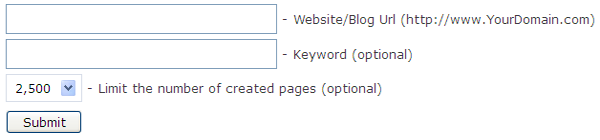
That is why Nairaden has come up with list of Backlink Builder or Link submitter to increase your Blog Backlinks and will be posting Blog with high pagerank for Blogcommenting in the Next update...

Free Top 10 Backlink Builder or Website Submitter Tools-nairaden.com

Free Top 10 Backlink Builder or Website Submitter Tools


1. http://www.freelinks.com
2. http://free-web-submission.co.uk
3. http://www.free-website-links.com
4. http://www.imtalk.org
5. http://www.smallseotools.com
6. http://www.onlineseoanalyzer.com
7. http://www.fuub.net
8. http://www.freebacklinkcreator.com
9. http://www.linkmitter.com
10. http://www.ruby-web-links.com

comments

Do you like this Post? Kindly click Here to recieve our Latest Updates